When and Why to Use a Headless CMS
The Problem a Headless CMS Is Trying to Solve
A common modern setup looks something like this: your mobile app is built in React Native, your marketing site runs on React or Next.js, and your internal tools or documentation live in a completely separate system. From a technology perspective, this often feels like the “right” stack. Fast, modern, and flexible.
The problem usually doesn’t appear until content needs to change.
Marketing wants to update homepage messaging. Product wants to tweak feature descriptions inside the app. Support needs to publish new documentation. Suddenly, content updates are tied to developer availability, pull requests, and deployment schedules. What should be simple editorial changes become technical tasks, and content velocity slows down across the organization.
At that point, the real issue isn’t React, React Native, or any other frontend framework. The issue is that content is tightly coupled to the application code. A headless CMS exists to break that dependency.
What “Headless” Actually Means
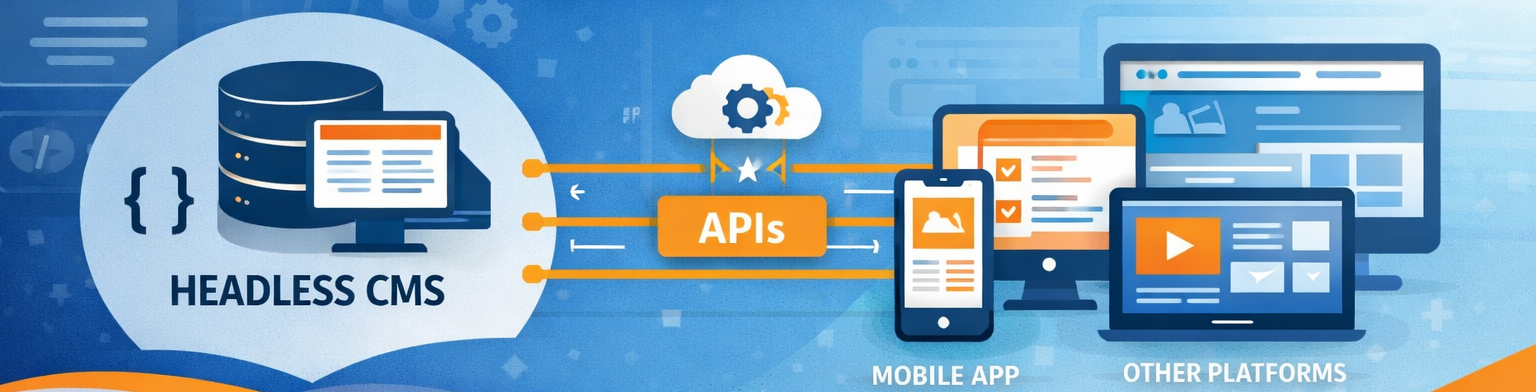
A headless CMS removes the assumption that content and presentation must live in the same system. Instead of storing content inside page templates or themes, a headless CMS focuses solely on managing content and exposing it through APIs.
In practice, this means the CMS is responsible for core content operations such as:
- Content creation and editing
Tools that allow non-technical users to write, edit, and manage content without touching code. - Structured data and metadata
Content models, taxonomies, and metadata that keep information organized, reusable, and API-friendly. - Media management
Centralized handling of images, video, and other assets with versioning and optimization support. - Publishing workflows and permissions
Editorial workflows, approvals, and role-based access control for teams of different sizes.
How that content displays, including layout, styling, interactions, and performance optimizations, is handled entirely by the frontend application consuming the API. This separation allows a single content source to power multiple experiences without duplication or rework.
When a Headless CMS Makes Sense
Headless architecture tends to make sense when content needs to travel across systems, teams, or platforms.
If your organization publishes content to more than one frontend, for example a website and a mobile app, maintaining content separately in each system quickly becomes inefficient. Headless CMS platforms provide a single source of truth, which helps prevent messaging drift between platforms as teams and products grow.. Headless also aligns naturally with modern JavaScript frameworks. Tools like React, Next.js, Vue, and Svelte are designed to consume APIs efficiently, giving developers full control over rendering strategy, performance, and SEO. In these environments, removing the CMS theme layer often simplifies the architecture rather than complicating it.
Another common driver is speed. Marketing teams that need to publish frequently often get blocked by development workflows. A headless CMS allows content updates to happen independently of application deploys, reducing friction between teams and shortening time-to-market. Finally, headless architecture is often chosen for long-term flexibility. Frontend frameworks evolve quickly, but content should not need to migrate every time the site is redesigned. By decoupling content from presentation, businesses can replatform frontends without disrupting editorial workflows.
When Headless Is Probably the Wrong Choice
Despite its advantages, headless is not automatically the best solution. For simpler marketing sites, traditional CMS setups still work extremely well. Visual page builders, tightly integrated themes, and all-in-one publishing workflows can be faster to launch and easier for small teams to manage. Headless introduces additional complexity in the form of API integrations, frontend builds, and hosting considerations.
If a project has limited development resources, relies heavily on drag-and-drop layout tools, or prioritizes speed of launch over architectural flexibility, a traditional CMS may be the better fit. Choosing headless should be a strategic decision, not a default one.
A Practical Headless CMS Example
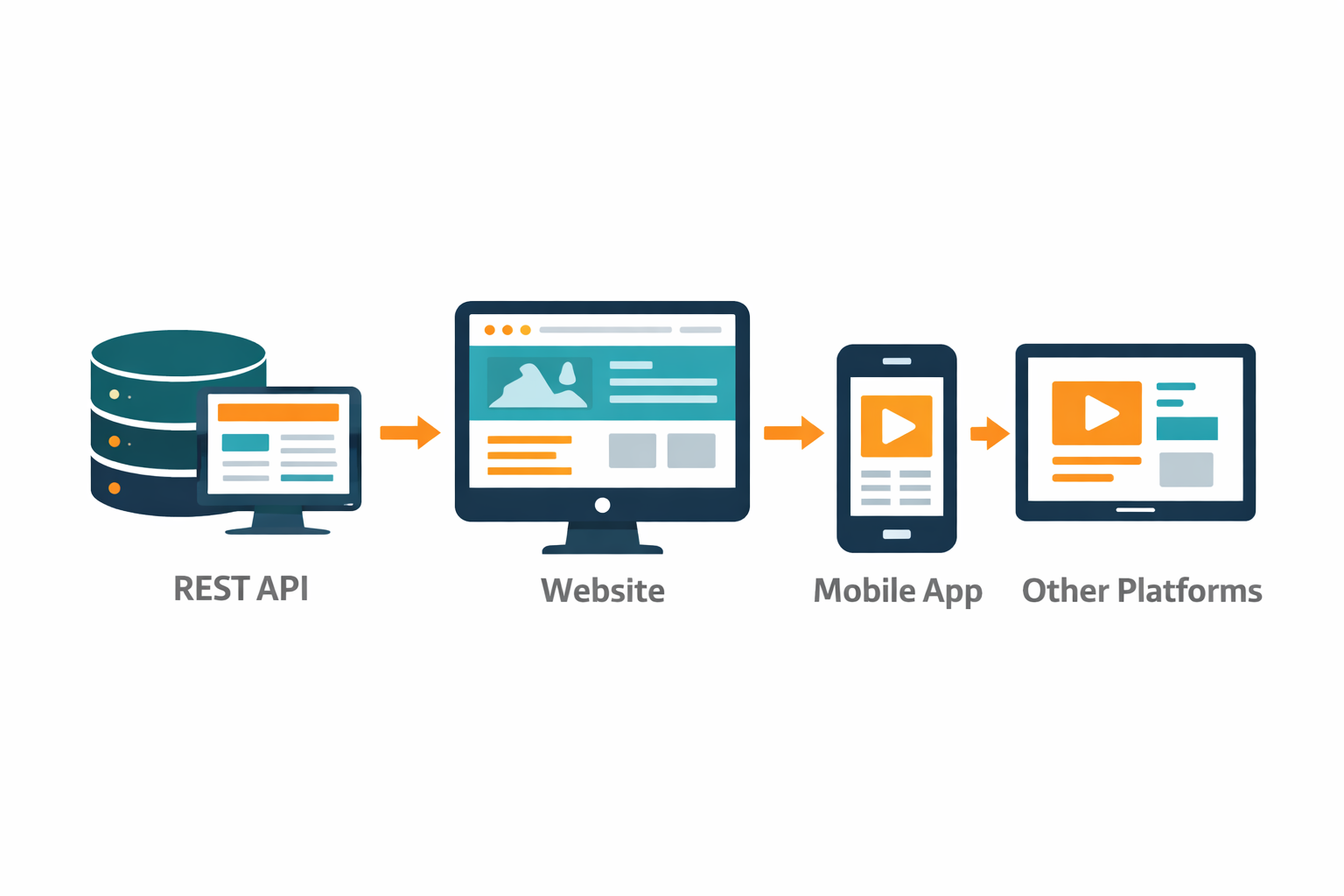
A common headless setup pairs WordPress as the CMS with a modern frontend like Next.js. WordPress manages content, users, and media, while the frontend fetches that content through the REST API or GraphQL.
A simple REST request might look like this:
const res = await fetch('https://example.com/wp-json/wp/v2/posts');
const posts = await res.json();
That same API endpoint can be used by a website, a mobile app, an internal dashboard, or even automated systems like email campaigns or digital displays. Content is authored once and reused everywhere.
Common Headless CMS Implementation Patterns
Most headless CMS implementations fall into a few recognizable patterns. REST APIs are widely supported and easy to cache, making them a good fit for straightforward content delivery. GraphQL APIs provide more flexibility, allowing frontends to request exactly the data they need, which is especially useful for component-driven layouts.
On the rendering side, many teams use static site generation for performance and SEO, while others adopt hybrid approaches like incremental static regeneration or on-demand builds. These hybrid models combine the speed of static sites with the publishing flexibility typically associated with dynamic systems.
WordPress as a Headless CMS
WordPress is one of the most common headless CMS platforms, largely because it combines a familiar editorial experience with robust API support. Editors can continue using the WordPress admin interface, media library, and workflows they already know, while developers gain complete control over frontend performance and architecture. With options like the WordPress REST API and WPGraphQL, WordPress can serve as a powerful content hub feeding multiple platforms. This hybrid approach often strikes a strong balance between usability and flexibility, especially for teams that already rely on WordPress for content operations.
 WordPress (Headless)
WordPress remains one of the most widely used headless CMS platforms thanks to its mature editorial experience and flexible API support. In a headless setup, WordPress manages content, media, and workflows while modern frontends consume that content via the REST API or WPGraphQL. This approach is especially effective for teams already invested in WordPress or WooCommerce who want greater performance, scalability, and multi-channel flexibility.
Other Popular Headless CMS Platforms
Beyond WordPress, there are several widely adopted headless CMS platforms, each with different strengths. Contentful is often chosen for enterprise environments that need strong governance and scalability. Sanity appeals to development teams that want highly flexible schemas and real-time collaboration. Strapi offers open-source, self-hosted flexibility, while Prismic focuses on component-based content modeling with editor-friendly workflows.
The right platform depends on factors like budget, hosting preferences, editorial complexity, and technical ownership.
 Contentful
Contentful is a cloud-native, API-first headless CMS commonly adopted by enterprise teams. It offers strong content modeling, localization, governance, and scalability features, making it a solid choice for organizations managing large volumes of structured content across multiple platforms and regions. Strapi
Strapi is one of the leading open-source headless CMS platforms and is often chosen by teams that want full control over their infrastructure. It supports self-hosting, custom APIs, and plugin-based extensibility, making it ideal for development teams that prioritize ownership, flexibility, and customization. Sanity
Sanity is a developer-focused headless CMS known for real-time collaboration and a highly customizable editing environment called Sanity Studio. Its GROQ query language enables powerful structured queries, making it well suited for applications with complex, component-driven content requirements. Storyblok
Storyblok stands out for its visual editor and component-based content model. It allows editors to preview content changes in real time while developers retain full control over frontend implementation, making it a strong option for teams that want both editorial ease and modern frontend flexibility. Prismic
Prismic focuses on flexible content modeling through its slice-based approach, allowing teams to build reusable content components without locking editors into rigid templates. It’s commonly used for marketing-driven sites where speed, experimentation, and developer experience are priorities.
Choosing the Right CMS Architecture
Headless CMS architecture is ultimately about reducing friction between content creation and content delivery. The best solution depends on how often content changes, how many platforms consume it, and how your team is structured.
In many cases, the answer isn’t purely headless or purely traditional, but a hybrid approach that blends the strengths of both.
Headless CMS FAQ
Is a headless CMS good for SEO? Yes, when implemented correctly. Headless CMS platforms pair well with modern frameworks like Next.js that support server-side rendering and static site generation. This allows teams to achieve excellent performance, clean markup, and strong SEO outcomes while retaining content flexibility.
Is WordPress still a good choice for headless CMS projects? Absolutely. WordPress remains one of the most widely used headless CMS options thanks to its mature content tools, strong API support, and familiarity for editors. When combined with a modern frontend, it offers a powerful balance of usability and flexibility.
Is headless CMS more expensive than traditional CMS setups? Not necessarily, but costs shift. Headless setups often require more upfront development investment, while traditional CMS platforms may incur ongoing performance or scaling costs. The right choice depends on long-term goals rather than short-term budget alone.
How Brinker Web Design Can Help
At Brinker Web Design, I help businesses evaluate CMS architecture through the lens of real-world workflows and long-term goals. That includes deciding whether headless actually makes sense, designing scalable content models, and implementing solutions ranging from traditional WordPress builds to hybrid and fully headless architectures.